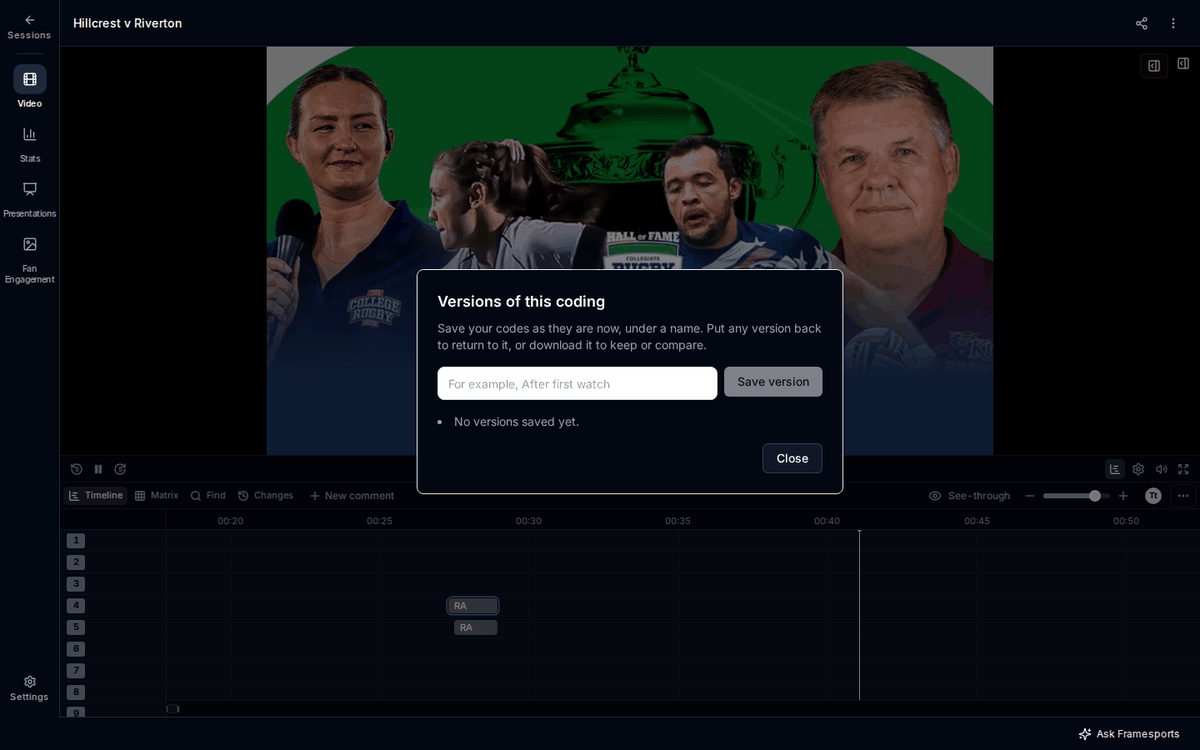
A version is a named copy of a session’s codes as they are at that moment. Save one before a big change, and you can always go back to it. This page covers saving, putting back and downloading versions.

Save a version

To save the codes as they are now:
  1. Open ⋯ at the end of the timeline’s toolbar.
  2. Choose Versions of this coding.
  3. Type a name under Version name, for example “After first watch”.
  4. Press Save version.
The version shows in the list with its name, the date and how many codes it holds. Versions are only saved when you save them, and only you can see yours. The Versions of this coding box, with a Version name box and a Save version button.

Put a version back

Putting a version back makes the session’s codes match it again. Codes added since are taken off, codes deleted since come back, and changed codes go back to how they were. Everyone who opens the session sees the change.
  1. Open ⋯, then Versions of this coding.
  2. Press Put back next to the version.
  3. Read the message, then press Put this version back.
Before anything changes, your codes as they are now are saved as a new version, called “Before putting back” and the version’s name. A message then says what changed, for example how many codes came back.

Undo putting a version back

Straight after you put a version back, press Undo on the message. Your codes go back to how they were. If the message has gone, put back the version called “Before putting back” and the name of the version you put back.

Download a version

Each version has Download XML, which saves it as a Sportscode XML file named after the version. Use it to keep a copy outside Framesports or to compare versions in other software.

How many versions can I keep?

You can keep 50 versions of each session.

Frequently Asked Questions

Can other coaches see my versions? No. Your versions are yours alone. But putting one back changes the session’s codes, and everyone sees that. See Put a version back. I put back the wrong version. What now? Press Undo on the message, or put back the version called “Before putting back”. See Undo putting a version back. Does MatchCoder save versions by itself? No. MatchCoder only saves a version when you press Save version, and just before you put a version back. To undo a single change, use the Changes tab instead. See Undo a change from Changes. Can I use versions with no internet? No. Saving and putting back versions need an internet connection.