Download the codes
To download a session’s codes:- Open ⋯ at the end of the timeline’s toolbar.
- Choose Export.
- Choose a file type.
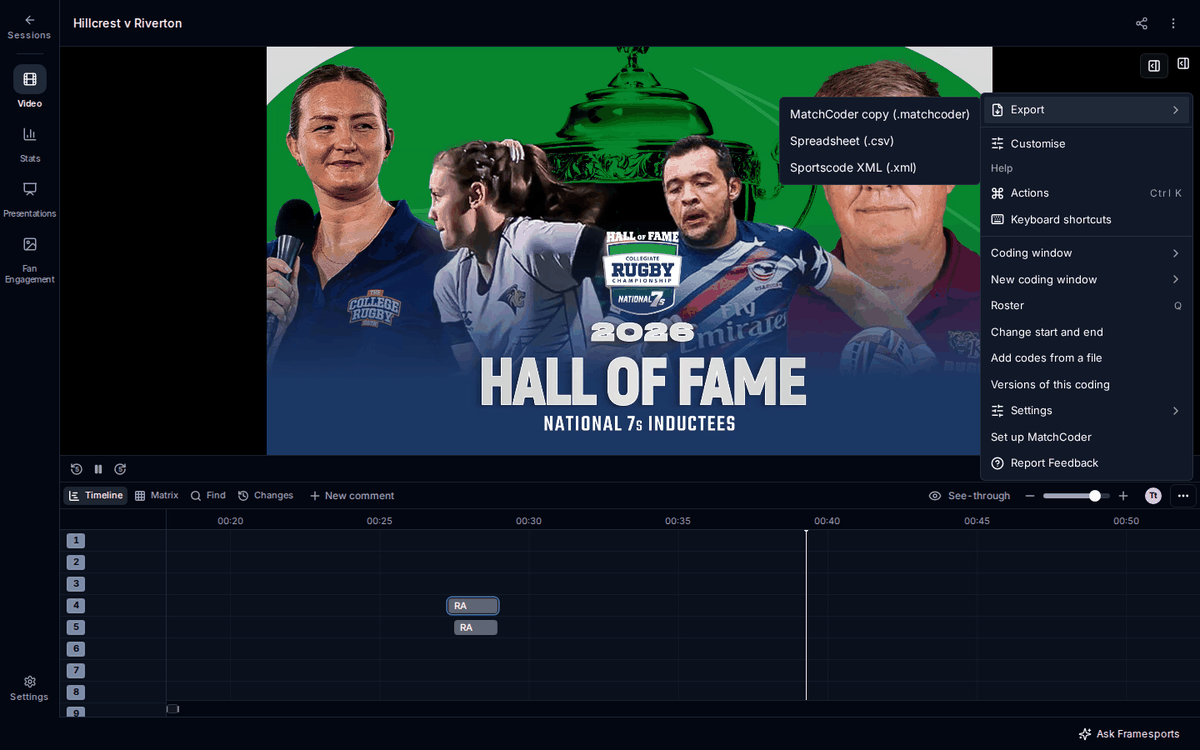
The spreadsheet and the XML include your own details on each code. The times in every file match the session’s video, so the codes line up when you open the file with the video you downloaded from Framesports.
Exporting works with no internet connection on a session saved to your device.
Add codes from a file
You can add codes to a session from a file, for example a copy you exported earlier. To add them:- Open ⋯ at the end of the timeline’s toolbar.
- Choose Add codes from a file.
- Pick a
.matchcoder,.json,.csvor.xmlfile. - MatchCoder says how many codes the file holds. Press Add to this game.